Working Builds
A sales team with no call structure. Friends who were laid off and drowning in job boards. A personal recipe archive scattered across sticky notes and napkins. I designed a system for each problem. The deliverable happened to be an app.
Built at Work
Real tools, used by real teams, that moved real numbers.
Call Center Training
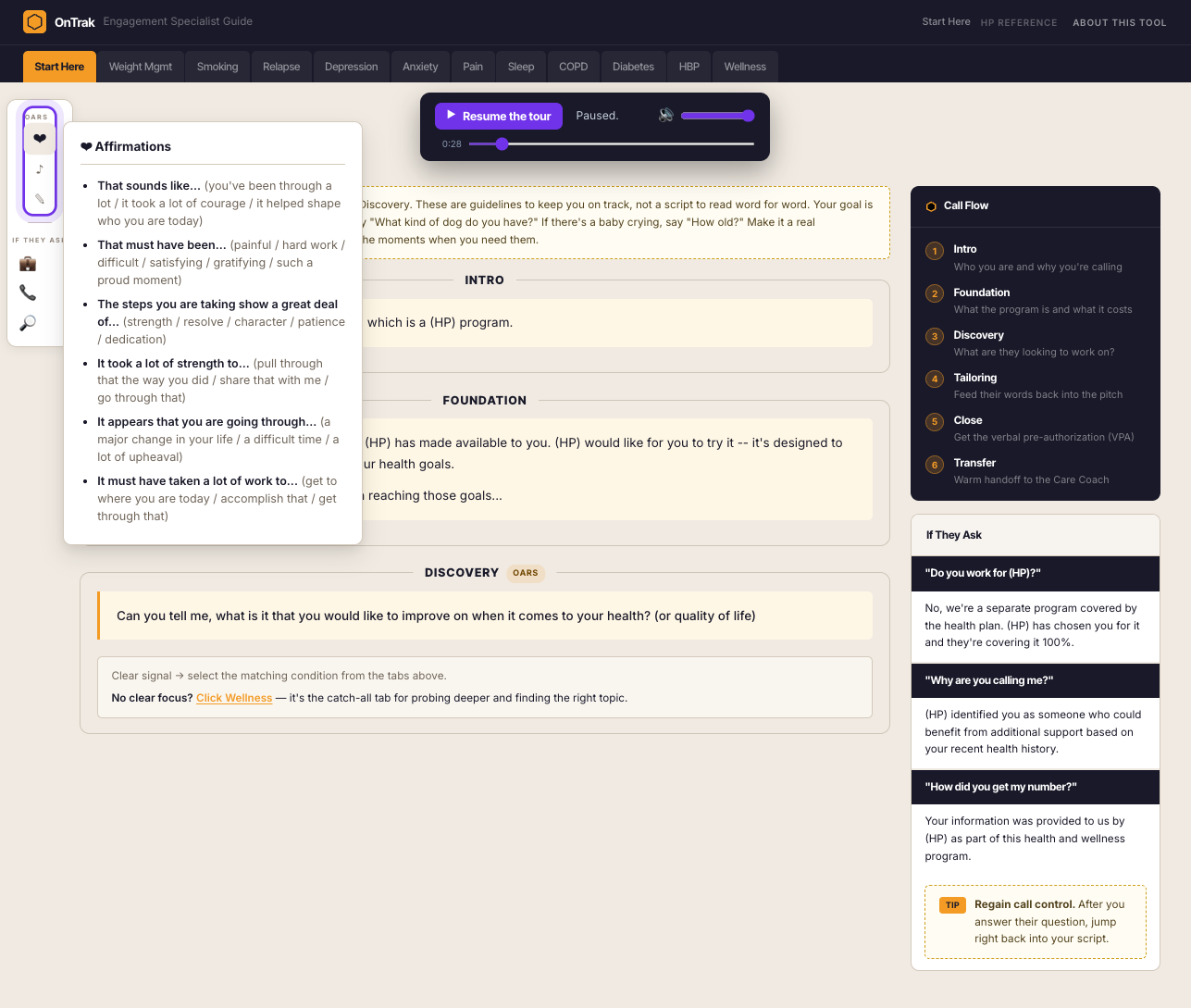
Ontrak had over 100 engagement specialists making member activation calls, and a lot of them were struggling to hit quota. There was no call structure. Every agent did their own thing. The agents who were succeeding had built their own structure from years of doing this kind of work. The agents who were struggling had nothing to follow.
I built a digital call guide that gave every agent that same foundation from day one. Six stages, every call. Agents who had been inconsistent now had a structure to follow. This year I rebuilt it with AI and added an audio walkthrough that walks a new agent through the whole approach.
Workflow Demo - Healthcare Enrollment Ops
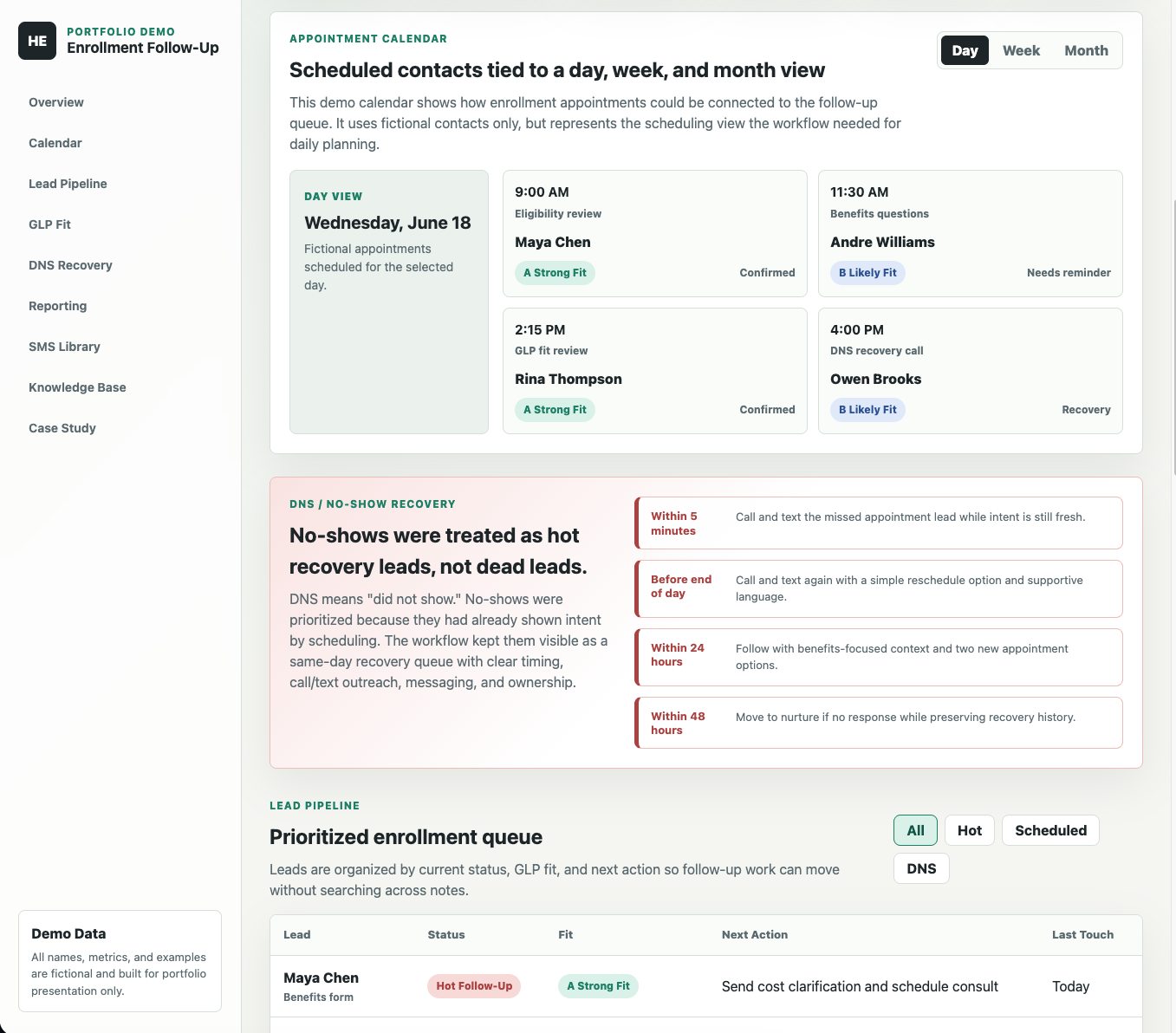
At K Health our enrollment leads lived in Salesforce, but Salesforce was set up for the clinical side, not for sales. We had no calendar, no day at a glance, and follow-up that was not tied to anything. The full Salesforce build we needed was about a year out, because the backlog was that long.
So I designed a workflow in Notion that put everything the sales team needed in one place: a calendar of scheduled contacts, a prioritized follow-up queue, no-show recovery, GLP fit categories, reporting, and a message library. Once a rep could find everything about a customer in one spot, we stopped piecing context together across a spreadsheet and Salesforce before every call, and we doubled our daily outbound calls.
Built While Learning AI · Aug 2025 to Now
When Ontrak closed, I spent the time going deep on AI by building real tools on real problems. None of these were assigned. Each one taught me a different part of the stack.
Tool - Live
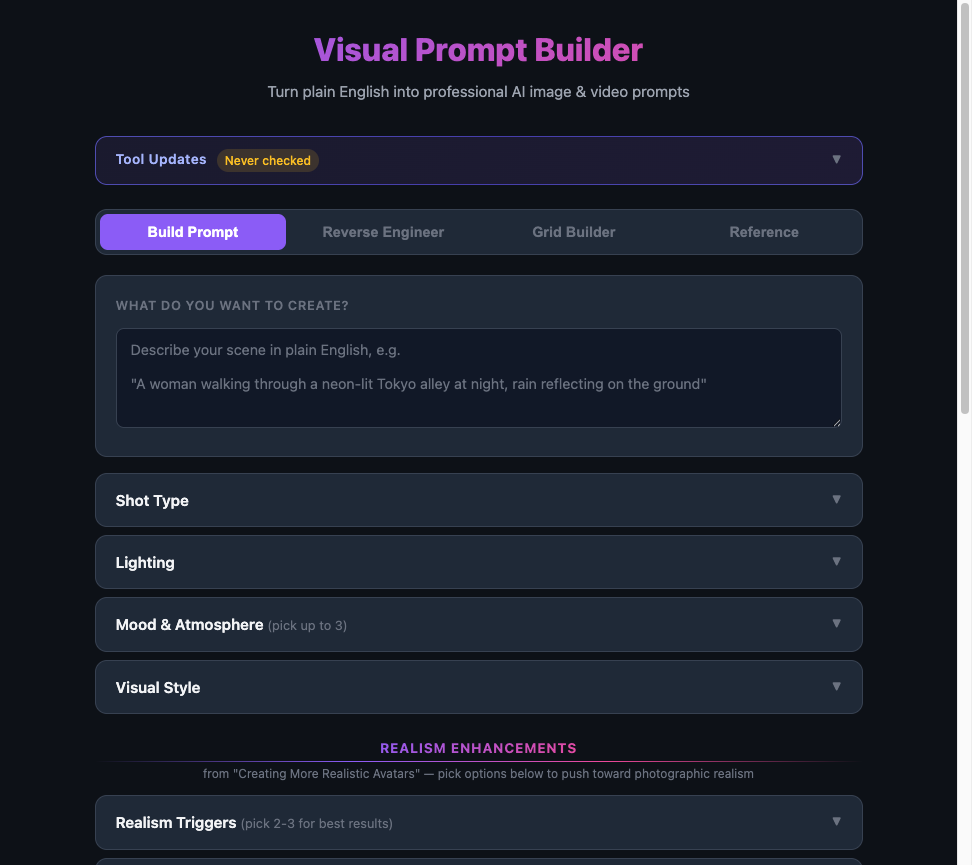
I was studying AI image and video generation. I might as well have been studying another language, so much terminology thrown at me all at one time, a vocabulary most people have never been taught. I built a tool that handles the translation -- plain English in, professional prompt out.
Four modes: Build Prompt, Reverse Engineer an existing image, Grid Builder for batch prompts, and a Reference library.
App - Built for a Group
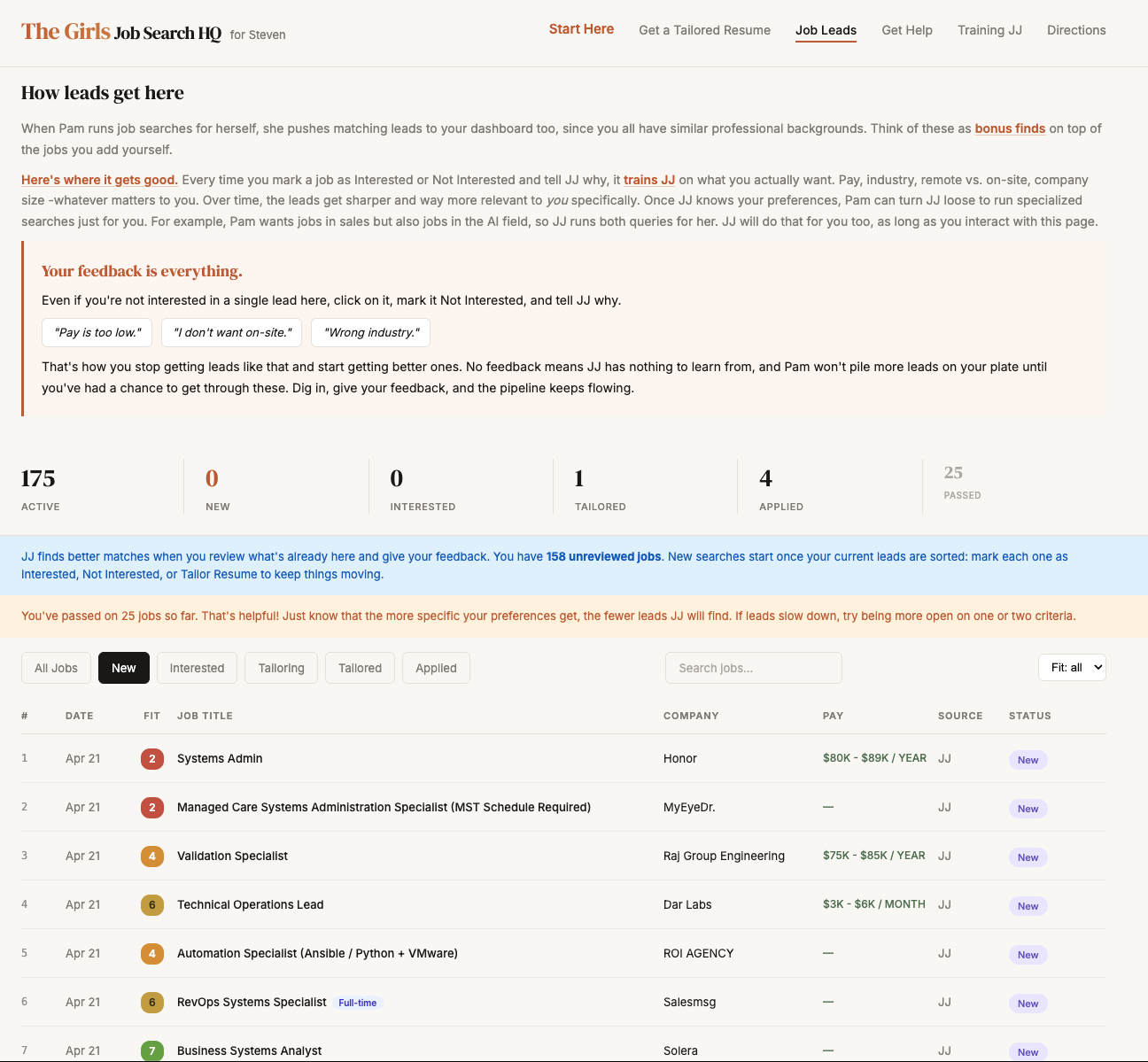
After three friends from my last company got laid off, all three were spending hours every day on job boards and getting nowhere. I built them a private dashboard so they could stop searching and start reacting. A skill I built scrapes job boards and populates their dashboard automatically -- pre-scored for fit.
Every lead gets an AI fit score. Mark one interesting and tell JJ (the AI assistant built into the system) why -- it learns their preferences and sharpens future results. When they're ready to apply, one click tailors a resume and cover letter to that specific job.
Dashboard - Personal Command Center
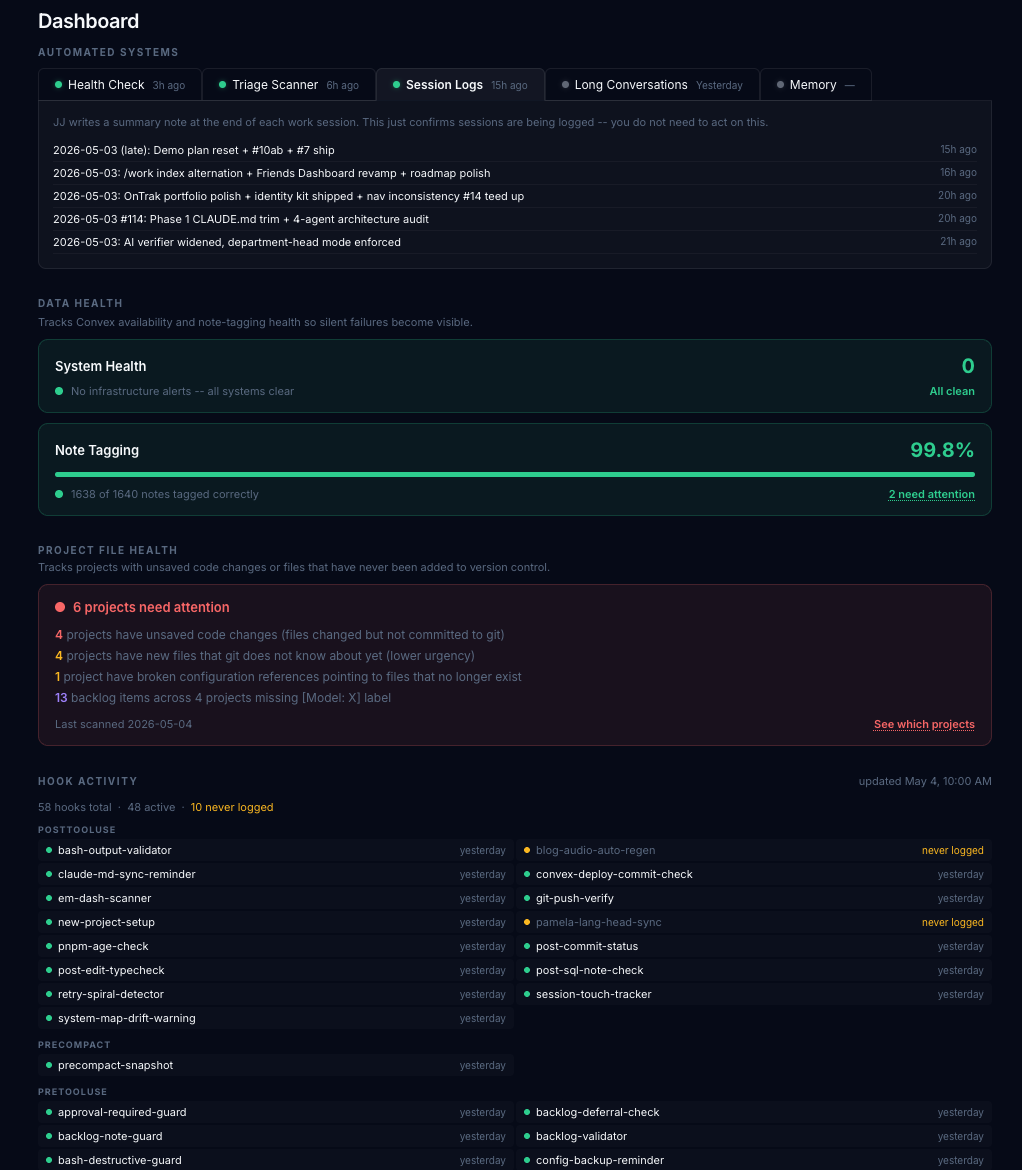
When you're running 20+ active projects across multiple AI tools, you need a way to see the state of everything without opening each one. I built this dashboard to surface what needs attention across all of it -- open backlog items, system health, what each project is waiting on.
It morphs constantly as my setup grows. It's the instrument panel that keeps nothing broken silently and no project going dormant. Building it demonstrated in practice what I'd do for a team: identify what needs visibility, build the system that surfaces it, and make it easy to act on.
Content System - Engineered in Public
Writing consistently while building ten other things at the same time is not a workflow, it is a choice between projects. I needed a way to publish without stopping everything else. So I taught an AI to write in my voice and built the publishing pipeline around it. Hooks enforce voice rules, Gemini handles character-consistent images, audio narration regenerates when paragraphs change, and Convex sits behind it all so there is no CMS to wrangle.
The posts are a running record of what I figured out while building. The blog itself is a working demonstration of what an AI-powered content system looks like when someone with a training background designs it.
Also Built Along the Way
Same toolkit, smaller scope: real apps I use, built to practice the stack on things that matter day to day.
App · 215 Recipes in Production
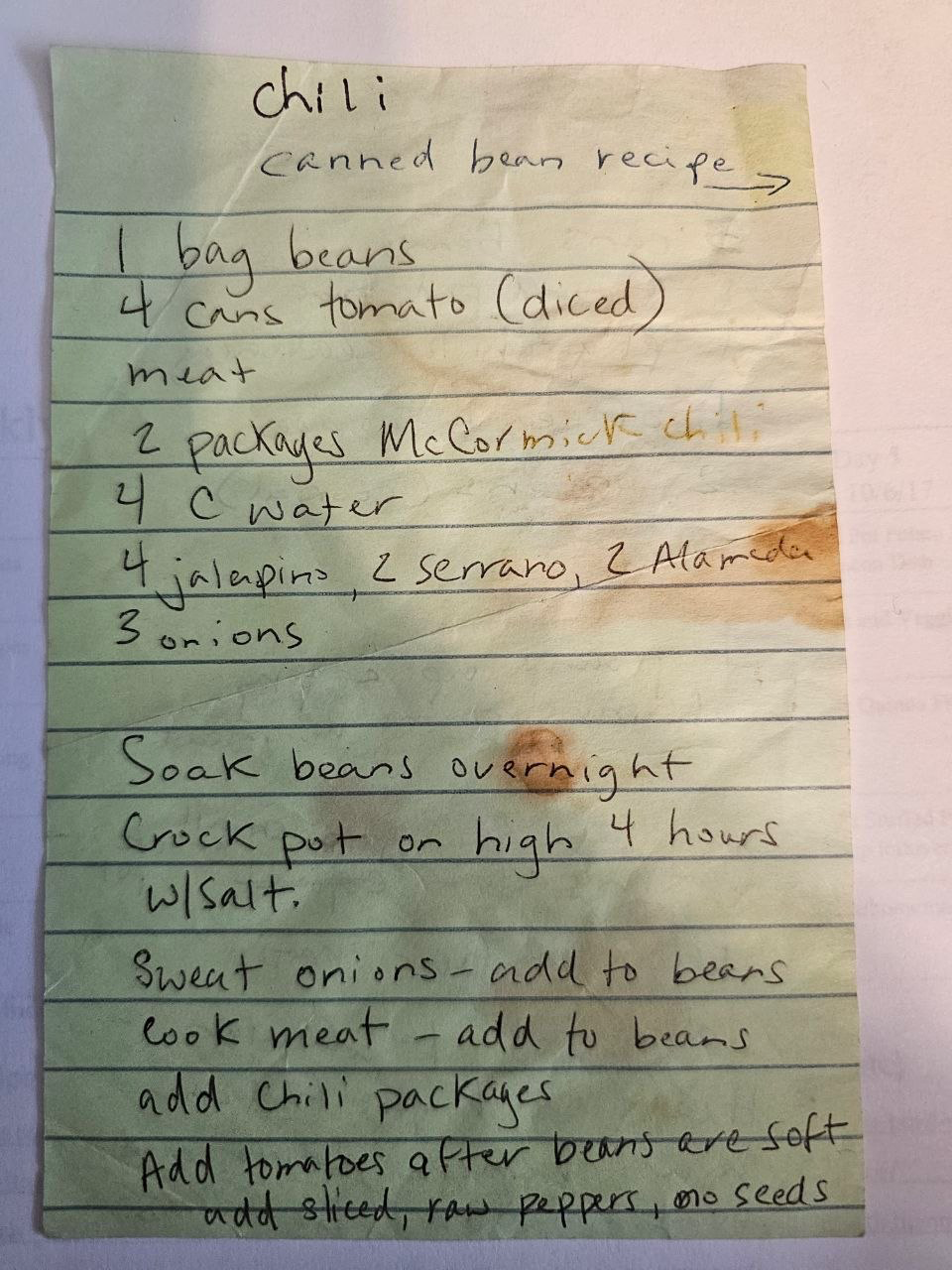
Reads handwritten recipe cards from a photo, imports from a URL, takes a voice memo, and lets you talk to an AI to figure out what's for dinner from whatever you have on hand.
See the showcase
App · Live Demo
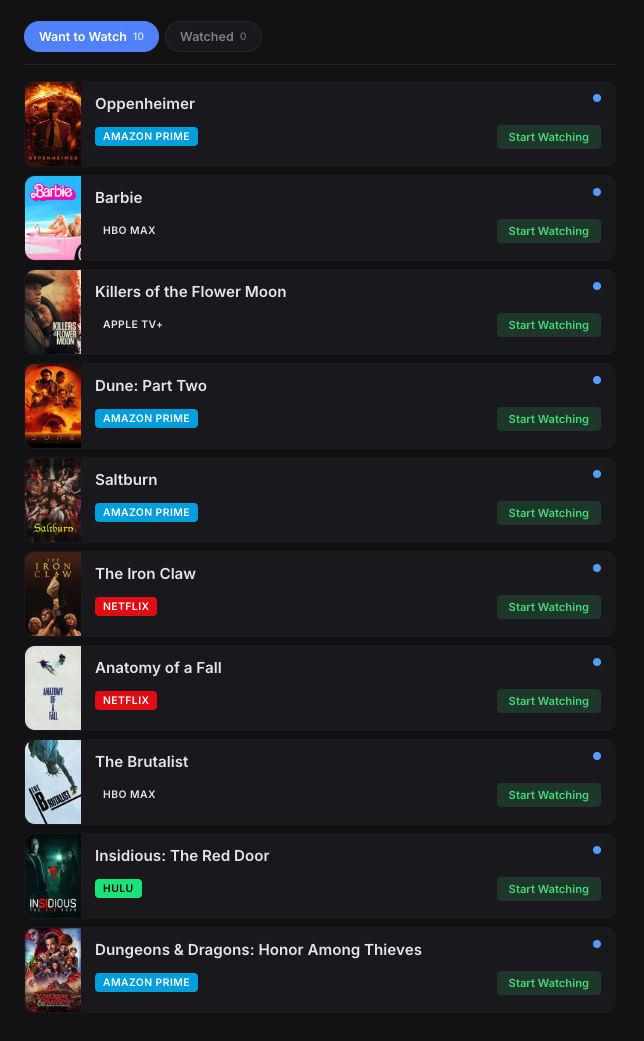
Tracks what I'm watching across every platform. Platform badges show where each title lives, and a built-in assistant lets you ask what to watch or add titles just by talking to it.
See the walkthroughThe AI search readability, the cloned narration, the read-along, the in-page blog editor, and the writing pipeline are all built and running underneath these pages.
What's under the hood